QC Finder
Paste a Weidian, Taobao, 1688 or agent link and see every QC set from real warehouse orders, gathered from many agents.
Paste any link to find its QC photos.
Works with WeidianTaobao1688KakobuyUSFansOopbuyHipobuyLitbuyAcbuy
No link? Search by photo →
Recently Checked by Users
Links other visitors just looked up in the QC finder.
QC by Category
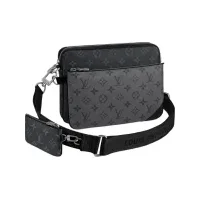
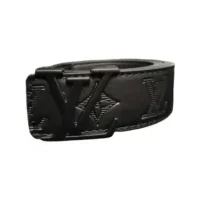
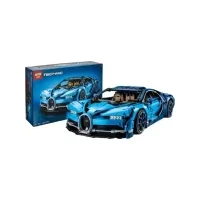
How to find QC photos in 3 steps
- 1
Copy the link
From Weidian, Taobao, 1688, or from your agent: Kakobuy, USFans, Hipobuy, Litbuy, Oopbuy or Acbuy.
- 2
Paste it into the QC finder
It reads the marketplace and the item number from the link, whatever format it is in.
- 3
See the QC photos
Warehouse photos from earlier orders of the same listing load below, with the parcel weight when it is known.
What QC photos look like
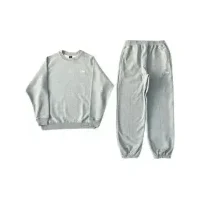
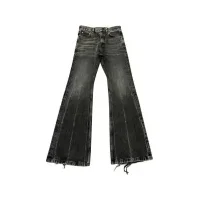
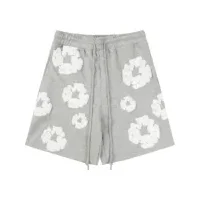
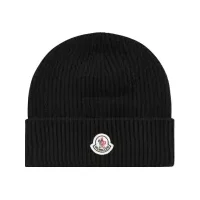
Real warehouse photos from our catalog. Tap a photo to enlarge it, or open the rep to see every QC photo of it.
QC finder, QC finds, find QC: is it the same thing?
Yes. People search for the same thing in different words: a QC finder is the tool, QC finds are the photos it turns up, and "find QC" is what you do with it. Some call it a QC checker or a QC search. All of them mean looking up the warehouse photos other buyers got for a listing before you order it yourself.
TheQCFinder does both halves: a finder for any link, and a catalog of reps that already have QC photos, so you can browse QC finds by category or brand without a link at all.
Why check QC before you buy
Seller photos sell the item; QC photos show it. They are taken by a warehouse worker under plain light, of the piece that actually arrived, which makes them the most honest picture of a listing you can get.
Checking other buyers' QC first saves the most expensive mistake in reps: paying for an item, waiting for it, and only then finding out the batch is wrong.
The most common flaws you can spot in QC
Full checklist →- Wrong shape
- A bulky toe box, a short sleeve, a boxy fit. Shape is the hardest thing to fix and the first thing others notice.
- Off logo
- A logo that is too big, too thin, too close to the seam, or with uneven letter spacing.
- Loose threads and messy stitching
- Small loose threads can be cut; crooked or doubled stitching along a seam cannot.
- Glue stains
- Common on sneakers along the midsole. Small ones clean off; large ones are a reason to exchange.
- Colour mismatch
- Warehouse light is cold, so compare colour across several QC sets before you decide it is wrong.
- Wrong size
- Check the size label and the tape measure in the photos; size letters vary between sellers, centimetres do not.
QC glossary
- QC
- Quality check: the photos your agent takes of your item in its warehouse before shipping.
- GL / RL
- Green light (keep it) or red light (return or exchange it), the verdict people give on a QC.
- Batch
- A production run of a rep. Different batches of the same item can look very different.
- W2C
- Where to cop: a request for the link to buy an item.
- Agent
- A shopping service that buys from Chinese marketplaces for you, photographs the items and ships them abroad.
- Haul
- Several items shipped together in one parcel.
- Retail
- The original item from the brand, used as the reference when judging a rep.
QC finder FAQ
Is the QC finder free?
Yes. No account, no limits and no sign-up.
Which links does the QC finder accept?
Weidian, Taobao, Tmall and 1688 item links, and agent links that carry the item number: Kakobuy, USFans, Hipobuy, Litbuy, Oopbuy and Acbuy, among others. You can also paste the bare item number.
How many QC photos will I see?
For reps in our catalog, up to 20 photos picked from all the QC sets of the listing. For other links, the latest warehouse photos from the most recent order, usually 3 to 6.
Why are there no QC photos for my link?
Nobody has ordered that listing through an agent that shares its photos yet, or the seller relisted it under a new number. Look for the same item from the same seller, or browse the catalog by brand.
Are QC photos from one agent valid for another?
Yes. Every agent buys from the same seller, so the item is the same whichever agent took the photos.
What the QC finder does
The QC finder takes a Weidian, Taobao, 1688 or agent link, reads the item number from it and shows the warehouse photos agents took of real orders of that listing.
If the item is one of the 1,039 reps in our catalog, you also get every QC photo we keep for it and buttons for six agents.
Where the photos come from
For items in our catalog you get the QC photos we keep from real orders. For any other link, the finder gathers every QC set it can find for that listing from many shopping agents (Kakobuy, USFans, Oopbuy, GTBuy, ACBuy and more), newest first, with the parcel weight and box size when they are known.
Supported links
- Weidian: weidian.com/item.html?itemID=…
- Taobao and Tmall: item.taobao.com/item.htm?id=…
- 1688: detail.1688.com/offer/….html
- Agent links: Kakobuy, USFans, Hipobuy, Litbuy, Oopbuy, Acbuy and others that carry the item number
Get the free Chrome extension
See QC photos right on the item page: a "See QC photos" button appears on Weidian, Taobao, 1688, Kakobuy and USFans item pages and opens the QC photos of that item here.